
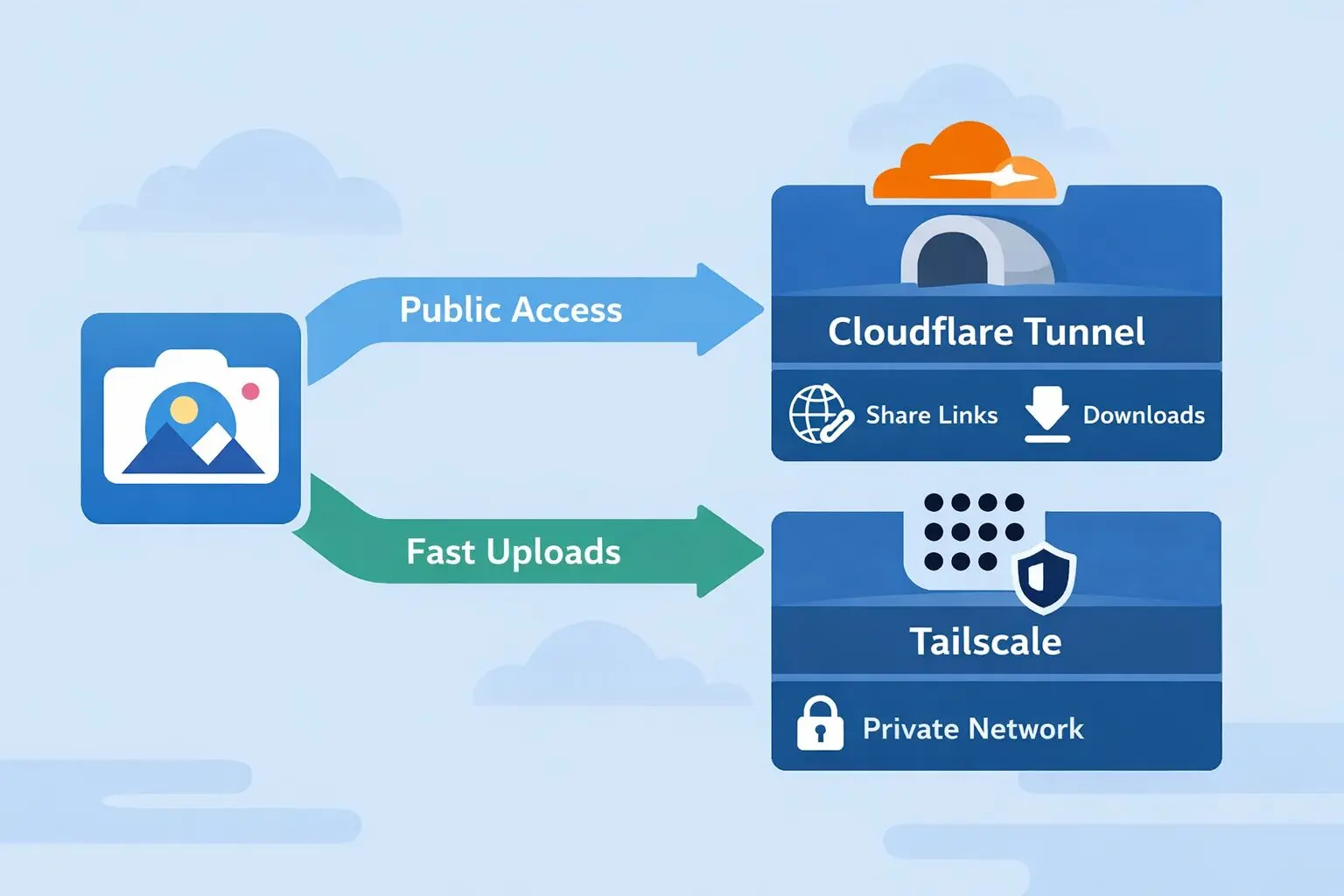
This post is part of the Self-Hosting Without Pain series
A real-world guide to running Immich, Nextcloud, Jellyfin, and more using Cloudflare, Tailscale, and Proxmox — without broken uploads, buffering, or exposed ports.
I thought Cloudflare Tunnel was perfect… until Immich broke.
I self-host Immich on Proxmox.
It’s fast, clean, and honestly one of the best Google Photos alternatives out there.
To expose it safely, I did what most people do:
Cloudflare Tunnel.
No open ports. No public IP. Clean and secure.
Everything worked great — until I started uploading real videos.
Large uploads failed.
Mobile sync became unreliable.
Some videos would hang forever.
At first, I assumed I misconfigured something.
Spoiler: I didn’t.
This isn’t a misconfiguration — it’s a design mismatch.
Why Cloudflare Tunnel and Immich don’t get along
Cloudflare Tunnel is excellent — but it’s still a proxy.
That’s fine for:
- Websites
- APIs
- Dashboards
- Small uploads
Immich is none of those.
Immich is:
- Media-heavy
- Upload-first
- Designed for long-running connections
- Constantly syncing in the background
When you put Cloudflare in the middle, you introduce:
- Upload size limits
- Timeouts
- Streaming quirks
- Mobile app sync failures
You can tune Cloudflare settings all day — it won’t change the fundamental problem.
Immich wants direct access.

The rabbit holes I went down (so you don’t have to)
Before landing on the final setup, I tried (or seriously considered):
- Exposing Immich directly to the internet (bad idea)
- Tweaking Cloudflare timeouts endlessly
- Adding another reverse proxy layer
- Breaking and re-creating shared links
None of these actually fix uploads.
They just move the problem around.

The mental shift that fixes everything
This is the part that finally made everything click:
Cloudflare is great for people.
Tailscale is great for machines.
Once you accept that, the solution becomes obvious.
- Public users only need to view and download
- You (or your phone) need to upload, sync, and manage
Those are two very different workloads — and they don’t need the same path.
The setup that actually works (and stays boring)
I ended up with a hybrid setup:
- Proxmox runs Tailscale
- Proxmox acts as a subnet router
- Immich runs in a VM (with Nextcloud and Jellyfin)
- Cloudflare Tunnel stays — but only for public access
Nothing fancy. Nothing fragile. Just clean separation.
Public traffic goes one way.
Private traffic goes another.
Same server. Two doors.
Public users
   ↓
immich.example.com
   ↓
Cloudflare Tunnel
   ↓
Immich VM (view / download only)
Admin & uploads
↓
Tailscale
↓
Proxmox (subnet router)
↓
Immich VM (uploads & sync)Step 1: Install Tailscale on the Proxmox host (Subnet Router)
Running Tailscale directly on the Proxmox host is the cleanest solution.
curl -fsSL https://tailscale.com/install.sh | sh
Enable IP forwarding:
echo "net.ipv4.ip_forward=1" > /etc/sysctl.d/99-tailscale.conf
echo "net.ipv6.conf.all.forwarding=1" >> /etc/sysctl.d/99-tailscale.conf
sysctl --system
Bring Tailscale up as a subnet router:
tailscale up \
  --hostname=proxmox \
  --advertise-routes=192.168.1.0/24 \
  --accept-dns=true
Approve the subnet route in the Tailscale admin panel:
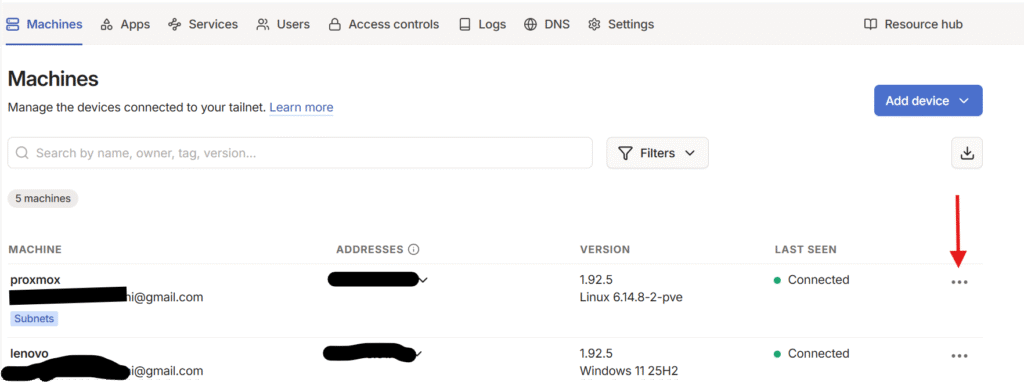
choose the 3 dots to open proxmox machine menu.
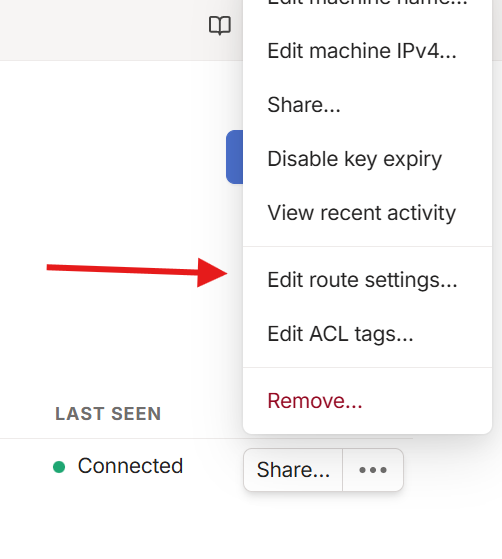
choose edit route settings and approve your local network route.
Step 2: Keep Cloudflare Tunnel for public Immich access
Your existing Cloudflare Tunnel setup stays the same:
immich.example.com → Cloudflare Tunnel → Immich VM
This is used for:
- Public albums
- Shared links
- Viewing and downloading photos
Not for uploads.
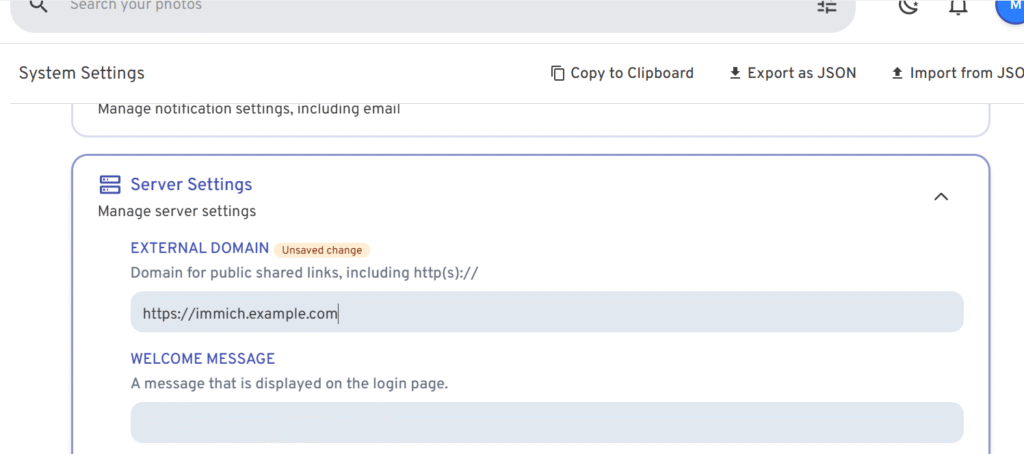
Step 3: Bypass Cloudflare for Immich uploads (critical step)
This is the most important rule (don’t skip this)
When you setup your immich app on phone, choose the local immich address (not the public domain).
For example:
http://192.168.1.50:2283
http://media-vm:2283        (MagicDNS)
http://100.x.x.x:2283       (Tailscale IP)
Never upload to Immich through the Cloudflare domain.
That’s it. That’s the rule.
Once I stopped doing that:
- Large video uploads worked instantly
- Mobile background sync became reliable
- No more retries, hangs, or partial uploads
Cloudflare wasn’t “fixed” — it was simply removed from the upload path
What this setup fixes
- Immich upload limits
- Large video uploads
- Cloudflare Tunnel limitations
- Mobile app sync failures
- Broken shared links
Works perfectly for other self-hosted apps
This same approach is ideal for:
- Nextcloud large file uploads
- Jellyfin remote streaming
- Home Assistant
- Any app that performs poorly behind a proxy
Final thoughts: use the right tool for the job
Cloudflare Tunnel is still fantastic.
I still use it, for different Node apps or wordpress sites.
I just stopped asking it to do things it was never designed to do.
For Immich (and other media apps):
- Cloudflare → public access, shared links
- Tailscale → uploads, sync, admin access
On Proxmox, this setup is:
- Faster
- More reliable
- Easier to reason about
- Much harder to break accidentally
Once I separated those responsibilities, Immich became boring again —
and that’s exactly what you want from infrastructure.
Up next in the series:
- Nextcloud, Cloudflare, and Tailscale: How I Finally Stopped Fighting Upload Limits
- Jellyfin, Cloudflare, and Tailscale: Stop Buffering and Streaming Headaches

Mohammad Dahamshi is a skilled Embedded Software Engineer and web developer. With experience in C/C++, Linux, WordPress, and DevOps tools, he helps businesses solve technical challenges and build reliable digital solutions. Fluent in Arabic, Hebrew, and English, he also runs Saratec, offering web design and digital marketing services.
[…] post is the Nextcloud version of my Immich setup — and honestly, it works even […]
[…] next in the series:– Immich Upload Limit Fix: Cloudflare Tunnel + Tailscale on Proxmox (Best Practice)– Nextcloud, Cloudflare, and Tailscale: How I Finally Stopped Fighting Upload […]
[…] ➡️ Immich deep dive → […]