
- Part 1: Architecture & Strategy
- Part 2: Installing Proxmox VE on ZFS Properly
- Part 3: Running PBS in a VM on Your Main PC
- Part 4: Automated ZFS Snapshots with Sanoid
- Part 5: ZFS Replication Using Syncoid
- Part 6: Backing Up VMs to Proxmox Backup Server
- Part 7: Telegram Notifications for PVE & PBS
- Part 8: Full Backup Automation Scripts
- Part 9: Disaster Recovery Simulation
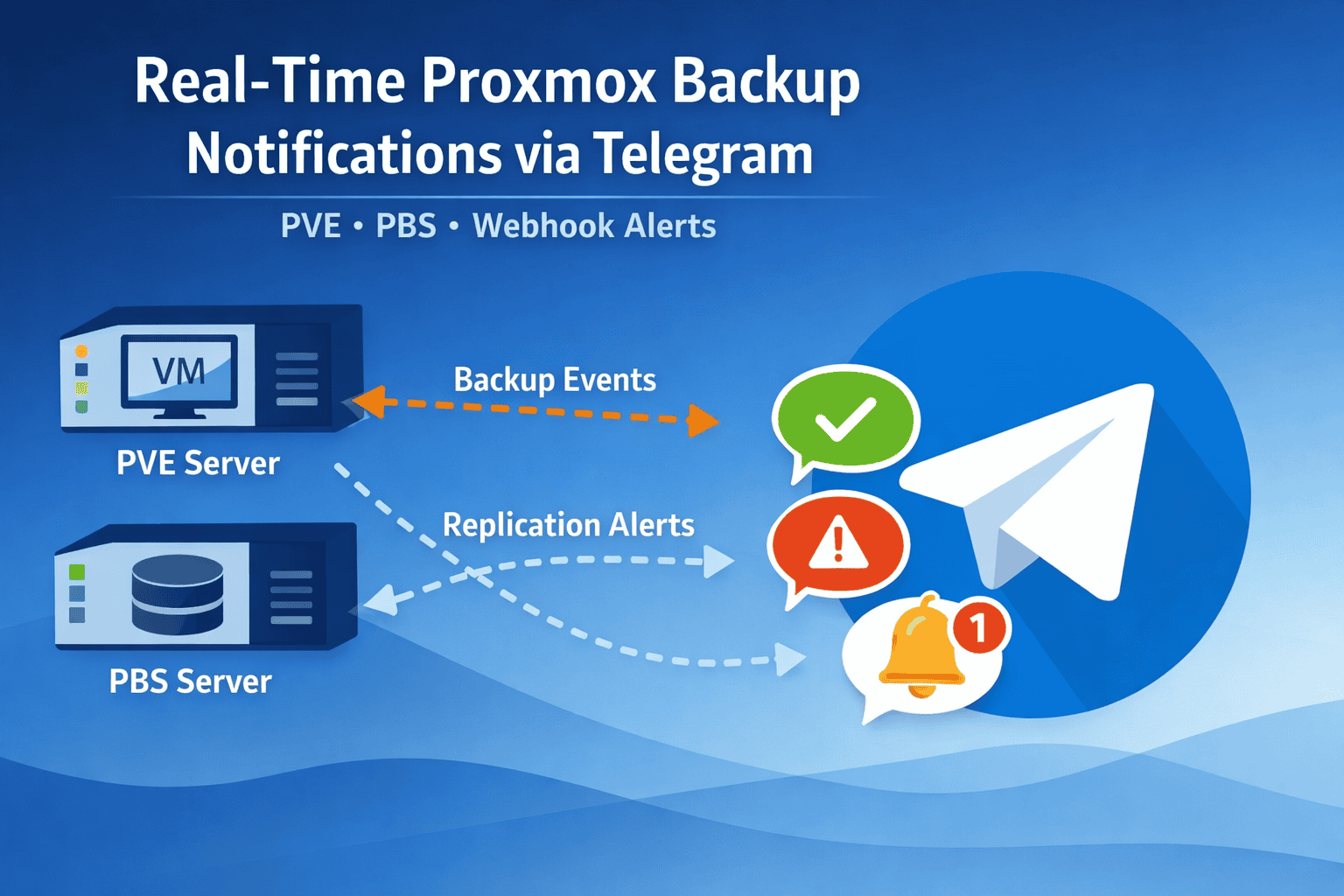
Why Telegram Notifications Matter
Even a small backup failure can go unnoticed without alerts. Telegram notifications give you:
- Immediate feedback on VM and dataset backups
- Failure alerts, avoiding potential data loss
- Automated monitoring, removing the need to check logs manually
Example scenarios:
- A VM backup fails at 3 AM → you get a Telegram alert instantly
- ZFS replication stops midway → failure message triggers corrective action
- PBS goes offline → alert tells you before data loss occurs
Using Built-In PVE and PBS Webhook Notifications
Both Proxmox VE and PBS support webhook notifications, which can send messages directly to Telegram.
Example PVE webhook URL for Telegram:
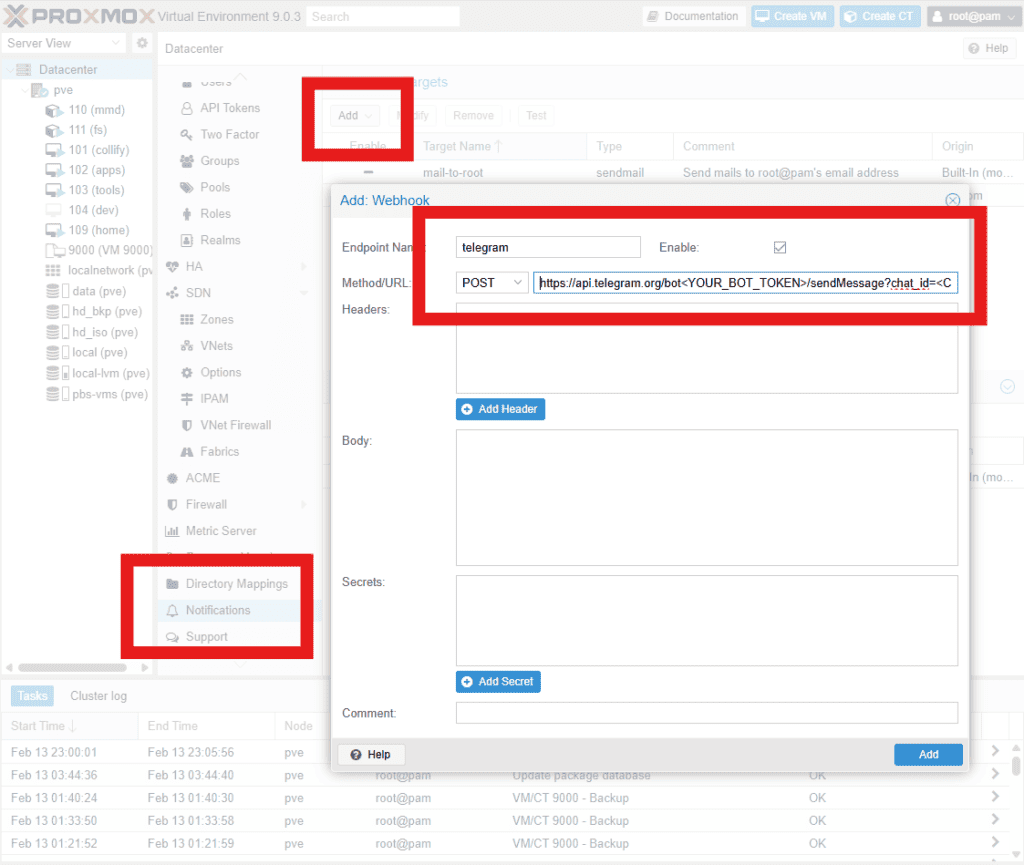
https://api.telegram.org/bot<YOUR_BOT_TOKEN>/sendMessage?chat_id=<CHAT_ID>&parse_mode=HTML&text=%3Cb%3EChannel%3A%3C%2Fb%3E%20PVE%20Server%0A%3Cb%3EStatus%3A%3C%2Fb%3E%20success%0A%0A{{url-encode title}}How to configure:
- In PVE, go to Datacenter → Notifications → Add → Webhook
- Paste your Telegram webhook URL
- Select events to notify (e.g., backup success/failure, replication)
- Save and test the webhook
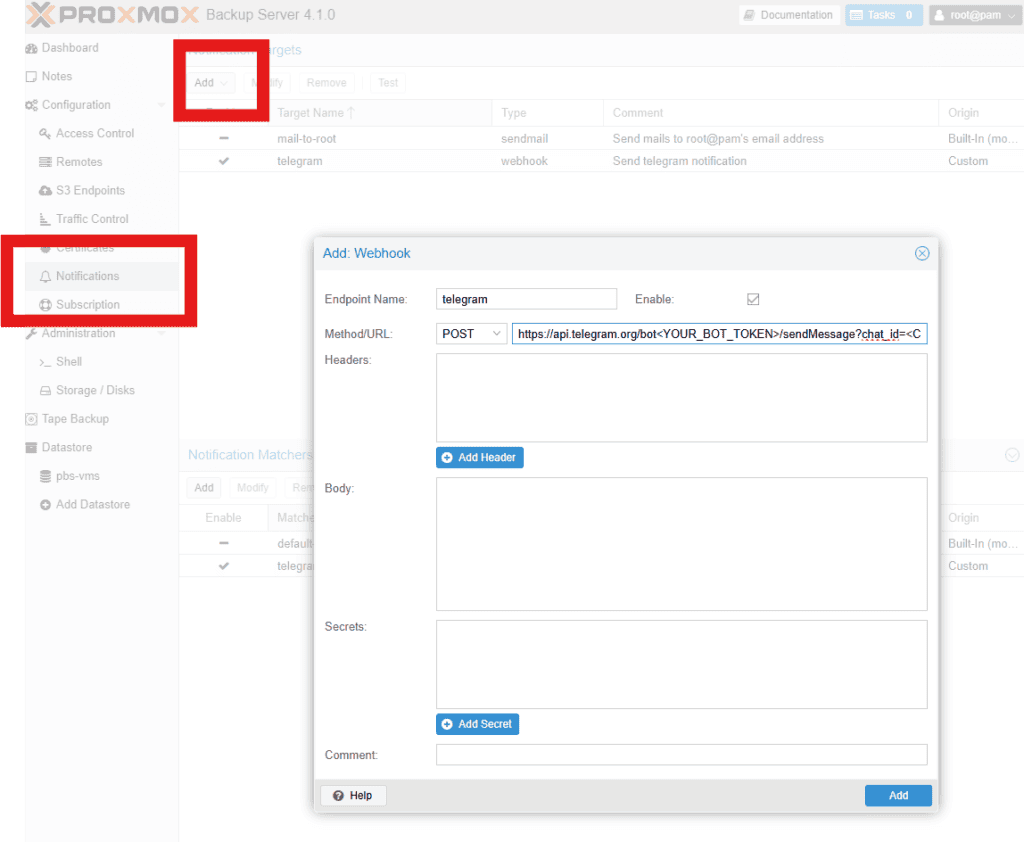
PBS notifications are similar:
- Go to PBS → Configiration→ Notifications → Add Webhook
- Paste your Telegram webhook URL
- Select triggers (backup success, failure, incremental replication)
This gives instant alerts without custom scripting.
Optional: Custom Script Notifications
For more fine-grained control, you can use your scripts to send Telegram notifications. This allows you to:
- Include custom messages, dataset names, timestamps, and VM names
- Combine multiple backups into a single message
- Catch errors and failures that might not trigger the built-in webhook
Example send_notification script:
#!/usr/bin/env bash

escape_html() {
    sed -e 's/&/\&/g' -e 's/</\</g' -e 's/>/\>/g'
}

send_notification() {
    local channel="$1"
    local status="$2"
    local message="$3"

    channel=$(printf "%s" "$channel" | escape_html)
    status=$(printf "%s" "$status" | escape_html)
    message=$(printf "%s" "$message" | escape_html)

    curl -s -X POST "https://api.telegram.org/bot${TG_BOT_TOKEN}/sendMessage" \
        -d chat_id="$TG_CHAT_ID" \
        -d parse_mode="HTML" \
        -d text="<b>Channel:</b> ${channel}
<b>Status:</b> ${status}

${message}" > /dev/null
}
Example usage in a backup script:
source /path/to/send_notification.sh
export TG_BOT_TOKEN=XXXX
export TG_CHAT_ID=XXXX

send_notification "ZFS Backup" "Success" "Backup completed successfully ✅"
send_notification "ZFS Backup" "Failed" "Backup failed ❌ at $(date -Is)"
This complements the built-in webhook and allows extra detail or retries.
Best Practices
- Use webhooks for simplicity — built-in notifications are fast and reliable
- Use scripts for extra control — include logs, dataset names, VM names, or custom logic
- Avoid spam — rate-limit messages if sending per VM
- Test before production — send test notifications to verify formatting
Summary
- Telegram alerts let you monitor Proxmox VE and PBS in real time
- Built-in webhooks provide simple, fast notifications for success/failure events
- Custom scripts provide detailed, customizable messages for advanced workflows
- Combine both for robust notification coverage, ensuring your backups never fail silently
With this setup, your intermediate homelab will have instant visibility into every VM backup, ZFS replication, and PBS job.
Next in the Series: In Part 8, we’ll take everything we’ve covered so far—ZFS snapshots, Syncoid replication, VM backups, and real-time Telegram notifications—and combine it into a fully automated Proxmox backup workflow. You’ll see how to orchestrate all these scripts, schedule backups, handle errors, and ensure your homelab stays protected without manual intervention.
- Part 1: Architecture & Strategy
- Part 2: Installing Proxmox VE on ZFS Properly
- Part 3: Running PBS in a VM on Your Main PC
- Part 4: Automated ZFS Snapshots with Sanoid
- Part 5: ZFS Replication Using Syncoid
- Part 6: Backing Up VMs to Proxmox Backup Server
- Part 7: Telegram Notifications for PVE & PBS
- Part 8: Full Backup Automation Scripts
- Part 9: Disaster Recovery Simulation

Mohammad Dahamshi is a skilled Embedded Software Engineer and web developer. With experience in C/C++, Linux, WordPress, and DevOps tools, he helps businesses solve technical challenges and build reliable digital solutions. Fluent in Arabic, Hebrew, and English, he also runs Saratec, offering web design and digital marketing services.
[…] Part 4 will cover Real-Time Proxmox Backup Notifications via Telegram (PVE + PBS). […]
[…] 👉 Real-Time Backup Notifications […]
[…] Part 7: Telegram Notifications for PVE & PBS […]